The oil light on a Honda Pilot is a warning light that flicks when there’s low oil pressure in the engine. Moreover, the light stays on after you refill the oil, requiring you to reset the oil light indicator manually.
How to reset the Honda Pilot oil light will vary slightly depending on your vehicle’s model. However, they all involve pressing the reset button for around ten seconds.
Honda Pilots from 2006-2015 follow the same way of resetting the oil light. The method was then slightly updated for the 2018 models.
And finally, for 2019-2022 models, a more intuitive way of resetting it through the dashboard UI was introduced.
Keep reading as we walk you through all the different methods.
How to Reset Oil Light on 2019-2022 Honda Pilot Models
If you have one of the newer editions of the Honda Pilot, then it is probably easy to figure out how to reset the oil light by yourself, as it is directly in the car operating system.
The steps here are pretty similar whether you have a touch screen or not. If you don’t have touch controls, then use the arrow keys and enter buttons on your steering wheel to control the menu.
Here are the steps if you have a touchscreen −
Step 1: Go to Home
Step 2: Press Settings
Step 3: Scroll down and click on Vehicle
Step 4: Touch on Maintenance Information
Step 5: Click on Reset All
Step 6: Click on Reset All Maintenance Items
Here are the steps if you don’t have a touch screen −
Step 1: Press the Home button on your steering wheel
Step 2: Scroll down to maintenance using the arrow keys
Step 3: Press Enter button and choose Oil Life
Step 4: Once it shows your Oil Life percentage, hold the enter button for roughly 10 seconds
Step 5: When a new screen comes up, scroll down to All Due Items
Step 6: Press Enter
And that’s it! Following these steps, you should be able to reset your oil light in your 2019-2022 Honda Pilot.
How to Reset Oil Light on 2018 Honda Pilot Models
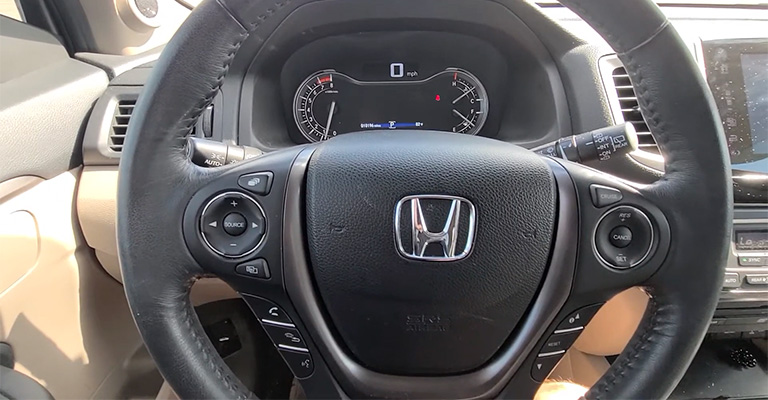
The main difference between the 2018 models from the older ones is that the 2018 model doesn’t use an ignition key. It uses the start engine button instead of that.
Follow these steps to reset the oil light in the 2018 Honda Pilot −
Step 1: Press the Star Engine button twice
Step 2: Keep pressing the down arrow button on your steering wheel until you reach Oil Life
Step 3: Hold the reset button for 10 seconds
Step 4: On the confirmation screen, press reset
And it should say that your oil life has been reset to 100%.
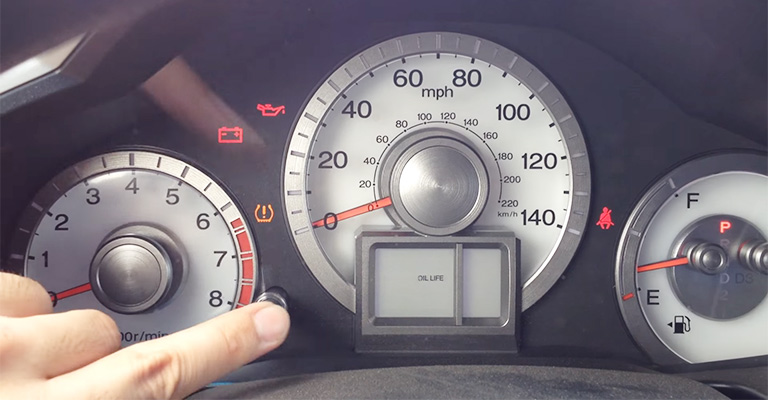
How to Reset Oil Light in 2015 Models or Older
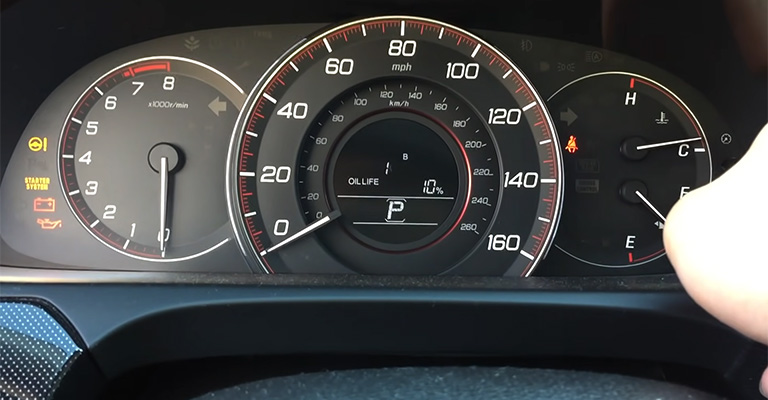
These models have a more analog-looking dashboard, and how to reset the oil light here can be tricky to understand. Luckily, we have got your back.
Step 1: Turn your ignition keys until you hear two clicks. This will not turn the engine on
Step 2: There should be a small button right below your dashboard− press it to change through the menus
Step 3: Stop when you reach the screen that shows your Oil Life Percentage
Step 4: Press and hold the button for 10 seconds
Step 5: Release the button when the screen starts to blink
Step 6: Press it down for another 5 seconds
And your oil light now should display the appropriate percentage.
Bottom Line
The main principle in How to Reset Your Honda Pilot Oil Light is always the same. You need to somehow navigate to the oil life percentage screen and then press the home or reset button for 10 seconds.
The slight variations between the models make sense once you know how to reset one model.
Overall, the oil light on a Honda Pilot is an important warning system that helps protect the engine from damage caused by low oil levels or low oil pressure.
By regularly checking and resetting the oil light, you can help ensure that your engine is running smoothly and prevent potential issues from arising.